See what's new in Zendesk! June brings several major updates with a strong focus on AI, automation, and IT Service Management.
Support
Support receives several updates that provide better visibility into AI-handled cases, easier administration, and more flexible workflows.
-
AI agent tickets become mandatory starting May 4, 2026. All conversations handled by AI Agents will automatically create tickets. This provides better visibility, reporting, and compliance across channels.
-
IT Asset Management (ITAM) is now generally available. The solution enables organizations to track, monitor, and manage IT assets directly within Zendesk Support. Asset information can be linked to tickets, and up to 500 asset records are included.
-
Improved Suspended tickets view. The interface has been updated with new filtering options, including filters for suspension cause, sender email address, and email subject.
-
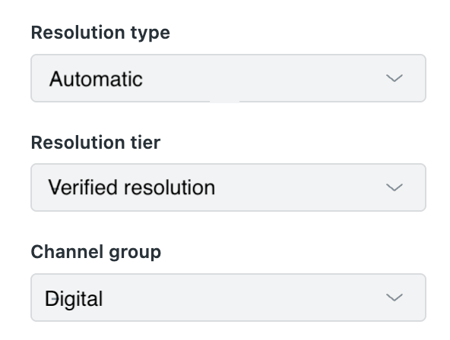
New standard fields for automated resolutions. Support tickets now include fields that show how cases were resolved automatically, providing deeper insight into AI performance and reporting.
-
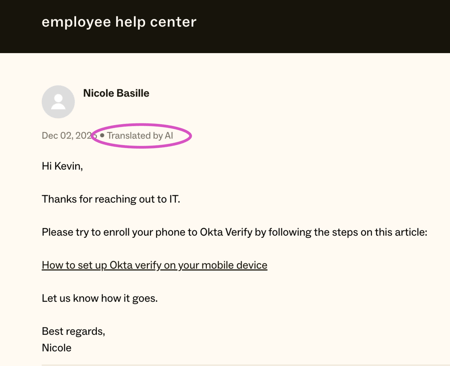
Greater control over AI translations. Administrators can now hide the notification that informs customers when a response has been translated using AI on asynchronous channels such as email, web forms, and API.
Accounts and billing
Zendesk makes it easier to scale the use of IT Asset Management.
-
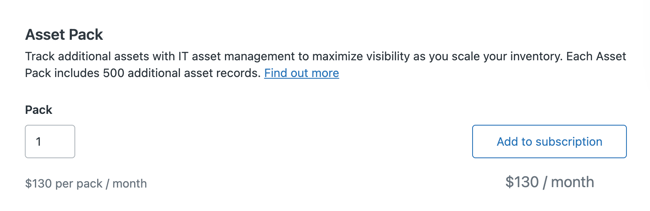
Purchase additional IT assets directly in Admin Center. Customers using IT Asset Management can now purchase additional asset packs from the subscription page. Each pack includes 500 additional asset records per month.
Admin Center
Zendesk introduces new tools that simplify administration and platform optimization.
-
Admin Copilot is now included in Zendesk Suite Professional and above. The AI-powered assistant provides insights, recommendations, and guidance to help administrators optimize their Zendesk setup.
-
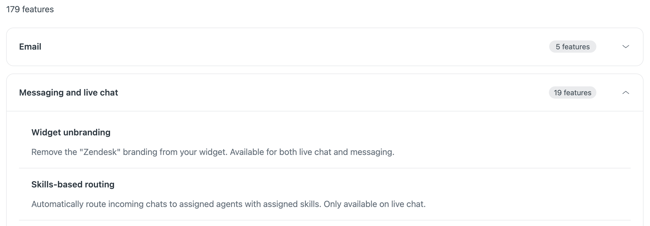
New location for the Features page in Admin Center. The Features page has moved to Account > Usage > Features and now includes expandable sections that make it easier to navigate between product areas.
AI Agents
Zendesk is expanding AI Agents with more advanced capabilities, easier administration, and better performance insights.
-
Advanced AI Agent capabilities are now available to all customers. Zendesk removes plan-based limitations and makes features such as agentic reasoning and API integrations more broadly available.
-
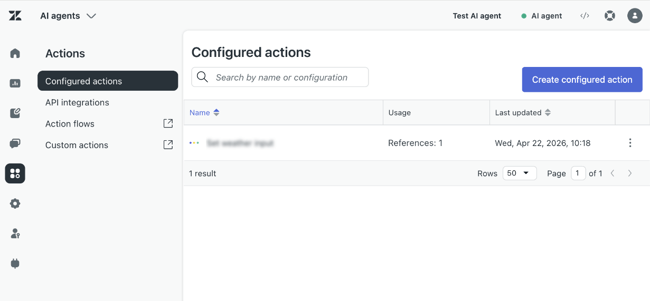
Deeper integration between Action Builder and AI Agents. AI Agents can now use custom actions and action flows directly within the workspace.
-
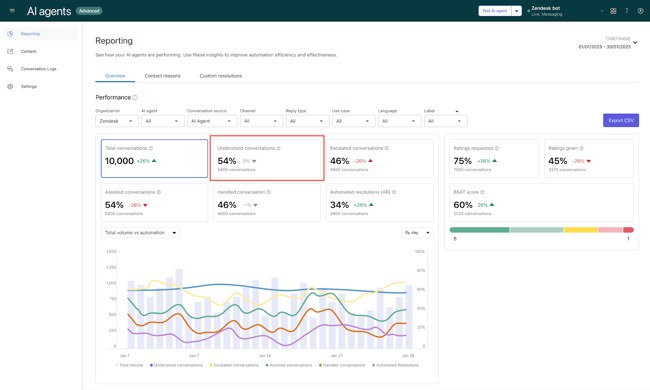
More accurate reporting for understood conversations. The Understood conversations metric now includes conversations that are escalated directly to a human agent as understood.
-
Automatic integration between AI Agents and email. New customers now have newly created email AI Agents automatically connected to the email channel, including the required setup and automation.
-
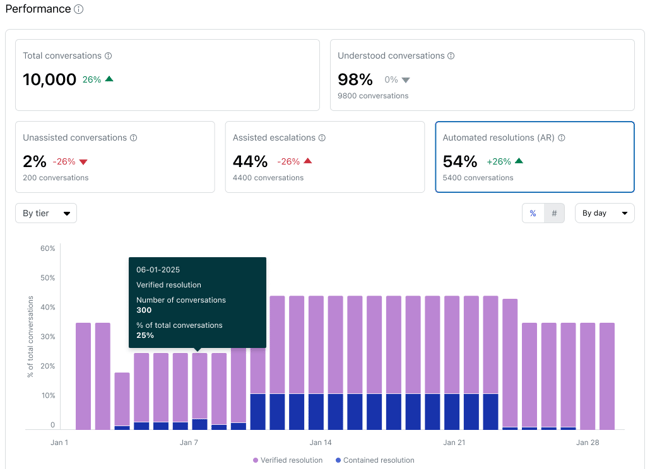
Updated reporting for AI Agents. Reporting now unifies statuses across channels and distinguishes between contained and verified resolutions, providing greater visibility into AI Agent performance.
Copilot
Copilot gains broader availability and additional AI-powered capabilities.
-
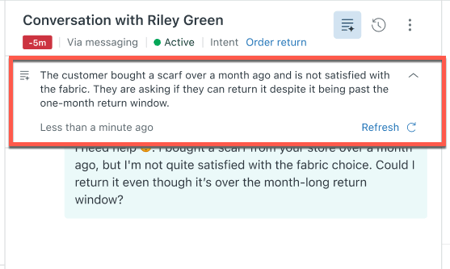
AI-generated ticket summaries are now available for Suite and Support Professional plans and above at no additional cost. The feature creates concise summaries of complex ticket histories and requires no setup. It includes 5 AI tool uses per agent per month, pooled across the team, with a maximum of 500 uses per month.
-
AI-generated procedures are automatically created for new Copilot customers. Within 24 hours of purchase, customers receive three procedure suggestions based on common support issues, recently solved tickets, and knowledge base content.
Agent Workspace
Agent Workspace now supports inline PDF previews.
-
Preview PDF attachments directly in Agent Workspace. Agents can open and read PDF files directly within a ticket without downloading them.
Objects and business rules
Zendesk expands automation and configuration capabilities with several enhancements for custom objects, task lists, and configuration management.
-
Action Builder now supports custom objects. Administrators can use custom object triggers and actions in action flows. Custom labels can also be added to actions for better visibility.
-
New currency field type for custom objects. This field enables organizations to store and manage pricing information within custom objects such as services, orders, and contracts.
-
Task list enhancements. Administrators can now require all tasks in a task list to be completed before a ticket can be solved. Support for activating, deactivating, and cloning task lists has also been added.
-
Configuration management now supports omnichannel routing queues. Administrators can configure, test, compare, and deploy routing queue setups across sandbox and production environments.
People
Zendesk introduces several updates related to user management, permissions, and security.
-
Clearer verification status indicators. Verification status icons in Customer List and user profiles have been updated. Separate icons now indicate unverified users and unverified primary email addresses.
-
New role-based access to ticket settings. Agents with custom roles on Enterprise plans and above can now access and manage ticket settings in Admin Center.
-
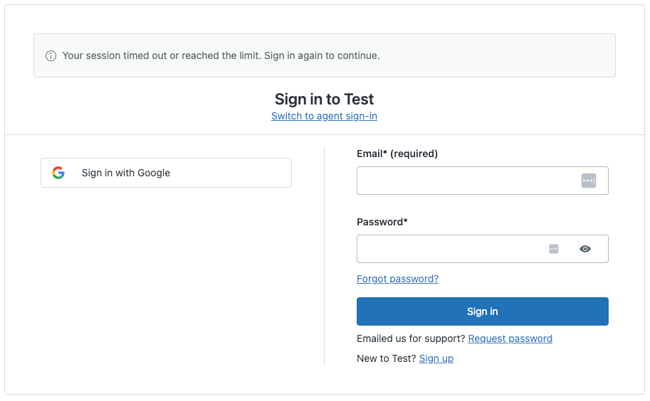
12-hour session limit enforcement. Zendesk is enforcing a maximum session duration of 12 hours for all users. Administrators should review session expiration settings to ensure compliance with the new policy.
Knowledge
Knowledge gains new content indexing capabilities and additional external knowledge sources.
-
Web crawler now supports automatic link discovery. Content can be discovered and indexed automatically by following links across a website, eliminating the need for a sitemap or manual page configuration. The web crawler also supports more complex sitemap structures.
-
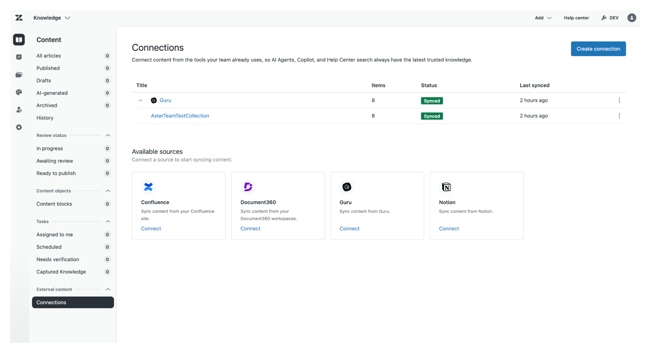
Guru is now available as a knowledge source. Content from Guru can be connected to Zendesk and made available in Help Center search, generative search, AI Agents, and Agent Workspace.
Analytics
Zendesk introduces several improvements that provide deeper insight into automation and real-time reporting.
-
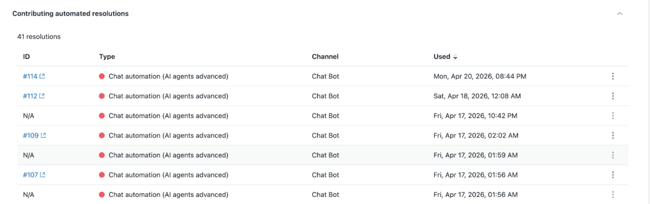
More detailed visibility into automated resolutions. The Automated resolution usage dashboard now shows each action that consumes a resolution, including ticket ID, automation type, and timestamp.
-
Real-time monitoring becomes the default reporting solution for new customers. The new reporting experience replaces the prebuilt Explore live dashboard for new customers and provides real-time insights with updated visualizations and more consistent data.
Workforce Management
Workforce Management gains new real-time monitoring capabilities.
-
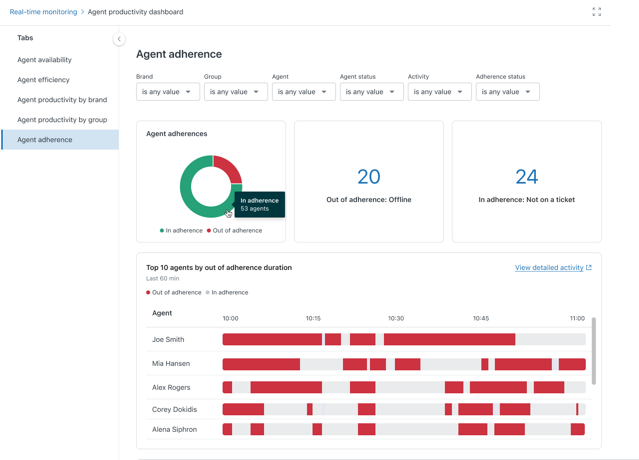
New agent adherence dashboard. Workforce managers and supervisors can now track how closely agents follow planned schedules through detailed reports and visualizations in real-time monitoring.
Quality assurance
Zendesk QA receives improvements that simplify group administration.
-
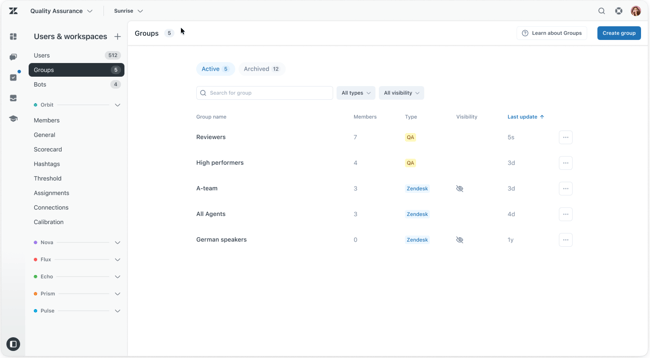
Automatic group synchronization between Zendesk and Zendesk QA. Groups created in Zendesk are now automatically synchronized to Zendesk QA, excluding private groups. Group management continues to be handled in Zendesk Admin Center.
Apps and integrations
Several new integrations and enhancements make it easier to connect Zendesk with the tools your team already uses.
-
Zendesk Support Assistant for Microsoft Agent 365 is now available. The integration enables users to manage tickets, search Help Center content, and view IT assets directly within Microsoft Teams.
-
New VOC Patterns app from Zendesk Labs. The app uses Zendesk AI to identify patterns in solved and closed tickets, helping teams uncover trends and recurring issues.
-
Approval requests in Slack. Administrators can send approval requests and receive responses directly in Slack, allowing users to approve or deny requests without leaving the platform.
-
Action Builder and action flow enhancements. Updates include daily schedule triggers, execution count visibility, dynamic dropdown variables, new user management actions, structured data support, and increased action flow limits.
-
Improved error and warning handling in Configuration Management. Updated views make it easier to identify and resolve deployment issues across environments.