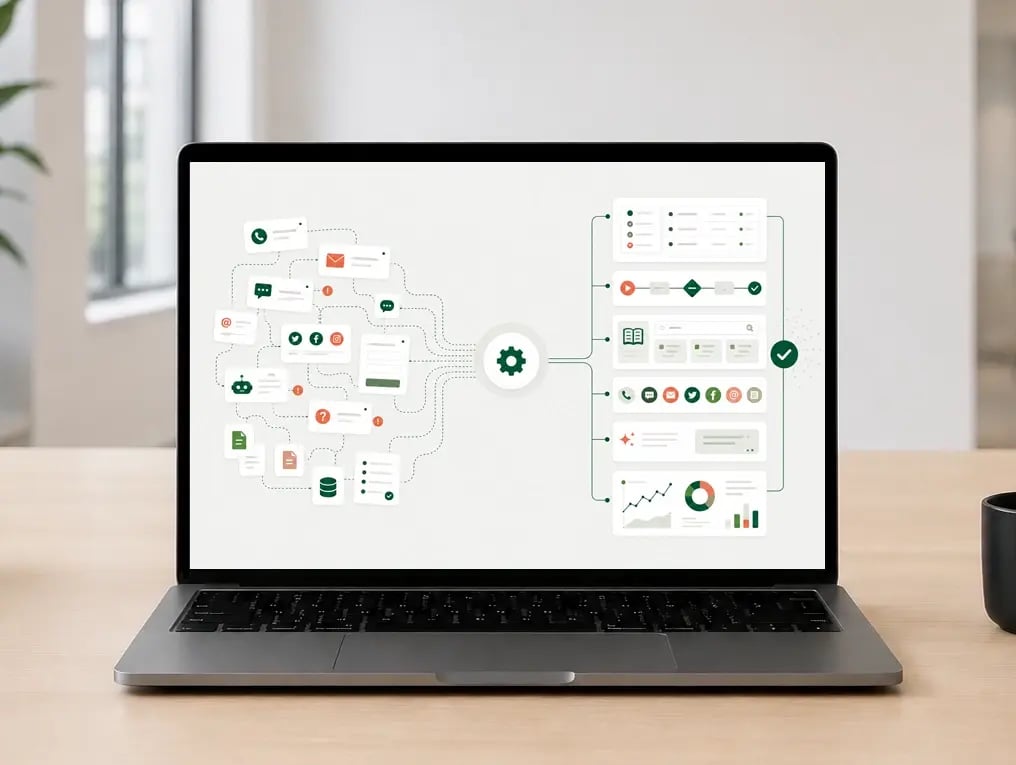
Looking to implement Zendesk, or evaluating which solution and license best fit your business? We help with everything from advisory and license selection to setup and implementation – ensuring Zendesk supports your workflows, teams, and customer experience from day one.
Through workshops, configuration, testing, and training, we help you build a structured Zendesk setup that brings customer inquiries together and improves visibility across your operations. This makes it easier to deliver great service across channels and teams.
Kickoff and planning
We begin with a kickoff meeting where we get to know your project team. Together, we establish a shared understanding of your needs, goals, and what is required for a successful implementation.
We review timelines, roles, responsibilities, and practical considerations, while also outlining what should be prepared before the next phase.
You will have a dedicated project manager from Kundelab who supports you throughout the entire process – from kickoff to launch.
Workshops and solution design
Through one or more workshops, we map out how your teams work, which processes Zendesk should support and how the solution should be configured. The scope is adapted to the size of your organization and the implementation itself.
Together, we review workflows, roles, automation, AI and other relevant areas to ensure the solution supports the way your teams work and makes customer interactions easier to manage.
The workshops also give your team a solid understanding of Zendesk’s capabilities and how the solution should be used in practice.
Setup and configuration
Based on the outcomes from the workshops, we configure your Zendesk solution step by step. The goal is to create a setup that works well in practice, improves efficiency, and contributes to a better customer experience over time.
Throughout the process, we gather the necessary input and clarifications from your team to ensure the setup supports the way you actually work.
Help Center design
We design your help center to feel professional, user-friendly, and aligned with your visual identity. This can include both visual and structural adjustments that make the help center more consistent, recognizable, and easier to use.
At the same time, we focus on structure and user experience to help customers find relevant information more quickly. We also consider how the content can support agents in their day-to-day work, and how the solution can be used together with Zendesk AI and automated responses.
The help center can be built using existing design templates or developed as a custom solution when needed.
Hjelpesenteret kan bygges med utgangspunkt i ferdige designmaler eller utvikles som en skreddersydd løsning ved behov.
Integrations and apps
Zendesk can be connected with the systems and tools you already use, allowing information to flow more efficiently and reducing unnecessary manual work for your teams.
We help with the setup and customization of apps and integrations. This can include displaying customer data directly in Zendesk, sharing information between systems, or making important features more easily accessible within the workspace.
When needed, we also develop custom integrations and apps tailored to your system landscape and workflows.
Testing and training
We test the solution throughout the implementation process and review it together with you before launch. The goal is to ensure the Zendesk setup works well in practice and supports the way your teams work day to day. During this phase, we make sure all technical and practical preparations are in place before the solution goes live.
We also provide training tailored to your teams and roles. The training typically combines walkthroughs of the solution with practical exercises.

Data preparation and migration
Before go-live, we make sure the solution, workflows, and technical preparations are ready for launch. Together, we clarify what needs to be in place to ensure a smooth and reliable transition to Zendesk.
When needed, we also assist with migrating data into Zendesk. This can include users, organizations, historical data, articles, and other relevant information that should be carried over into the new solution.
The goal is to ensure you start with the right foundation and that important information is transferred in a structured and reliable way.

Go-live
Once the solution is ready, we support you through the launch process. We stay involved after go-live, answer questions, make necessary adjustments, and provide support if new needs arise along the way.
Our goal is to ensure a smooth transition to the new system and help your teams get up and running with Zendesk quickly and effectively.
After launch, we can also assist with further adjustments, advisory, and continuous improvements to ensure the solution evolves alongside your needs.
Ongoing management and continuous improvement
For many businesses, implementation is just the beginning. As teams start using Zendesk, new needs and opportunities for improvement naturally emerge. At the same time, the platform evolves rapidly with new features, smarter automation, and better use of data.
Kundelab helps you with ongoing management and continuous improvement through advisory, prioritization, setup adjustments, and support for internal solution owners.
The goal is to ensure Zendesk continues to evolve alongside your organization – while keeping the solution structured, efficient, and easy to manage over time.