NORWEGIAN ZENDESK PARTNER
Contact center solution
with Zendesk.
Make it easier for customers to get help, whether they contact you by phone, email or chat. With Zendesk, you can manage call queues, route inquiries to the right agents and follow up with customers across channels.
Kundelab helps you choose the right solution, set it up and develop it as your needs change.

In good company.
A selection of customers who have chosen Kundelab as their Zendesk partner.

One solution for every customer conversation.
When customers reach out through different channels, agents need a clear overview and an effective way to work together. Zendesk helps teams manage inquiries, distribute workloads and follow up with customers from first contact to resolution.
VOICE AND CUSTOMER CONTACT
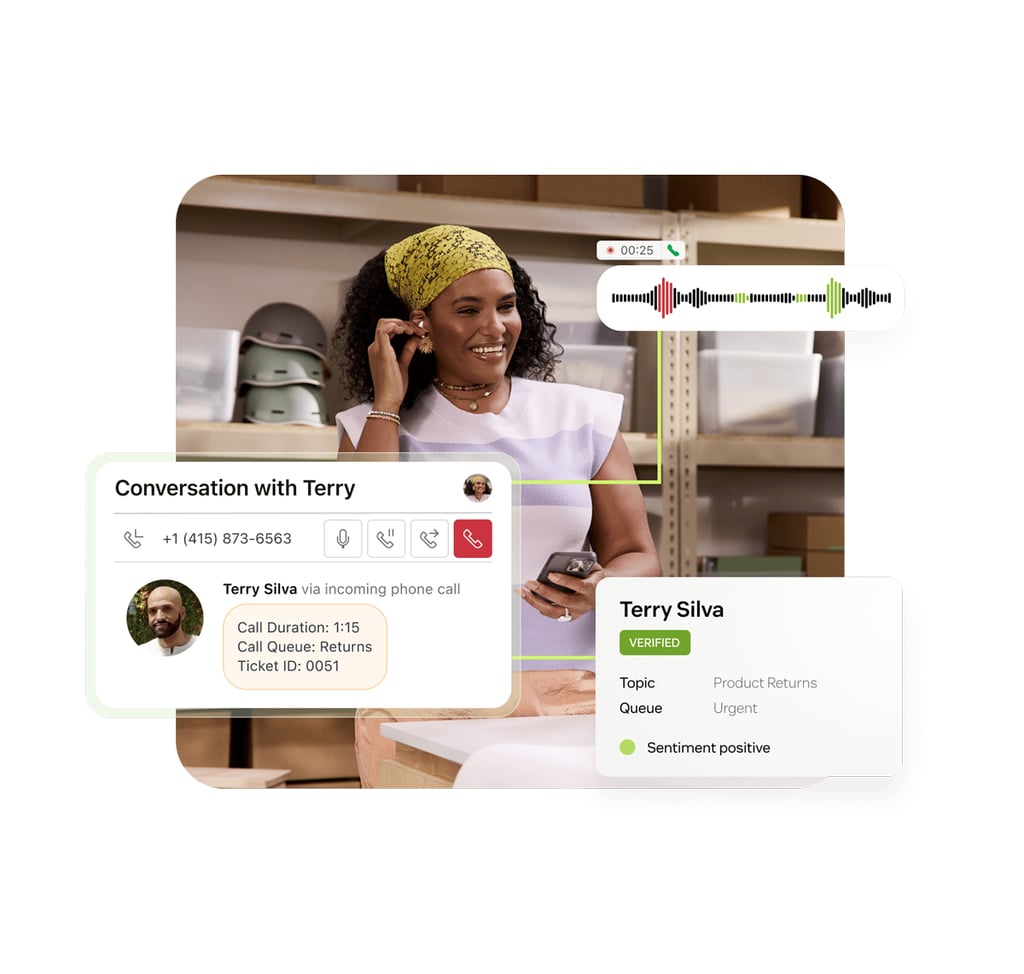
Phone calls and customer information in one place.
With Zendesk, agents can see previous conversations and customer information while handling a call. This makes it easier to understand what the customer needs help with.
If a customer calls about an email they sent earlier, the agent can see the case history and pick up where the conversation left off. Follow-up is easier even when several agents are involved.
We help you set up voice support and route calls to the right agent or department.
AI AND AUTOMATION
Less manual work. More automation.
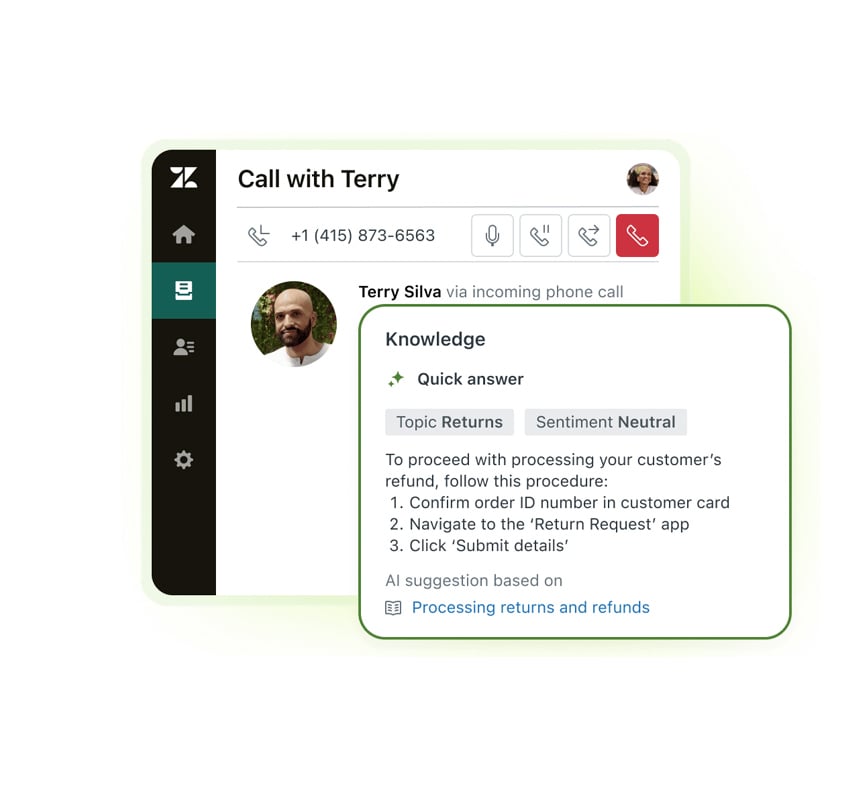
Zendesk Copilot helps agents find information, summarize conversations and suggest replies. This makes it easier to help customers and reduces time spent on manual tasks.
Zendesk AI Agents can answer common questions and complete selected tasks automatically. This means more customers can get help without waiting for an available agent.
QUALITY AND STAFFING
Better visibility and smarter planning.
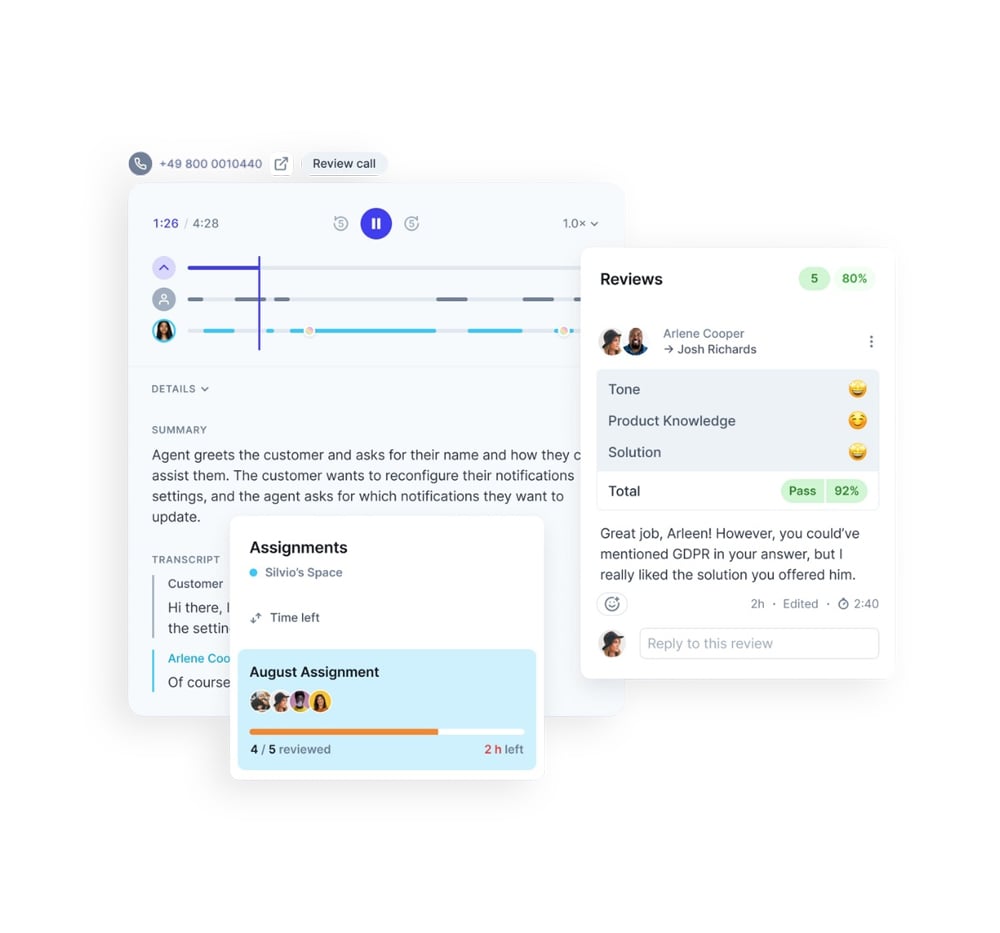
Zendesk QA is used to evaluate the quality of customer interactions. AI can review conversations to identify areas for improvement and where agents need additional support.
Zendesk WFM makes it easier to plan staffing based on expected inquiry volumes. This helps teams build schedules and ensure enough agents are available when customers need support.
INTEGRATIONS AND FOLLOW-UP
Connect your contact center to the rest of your business.
A customer call often leads to something that requires follow-up. An order may need to be changed, a task completed or a case passed to another department.
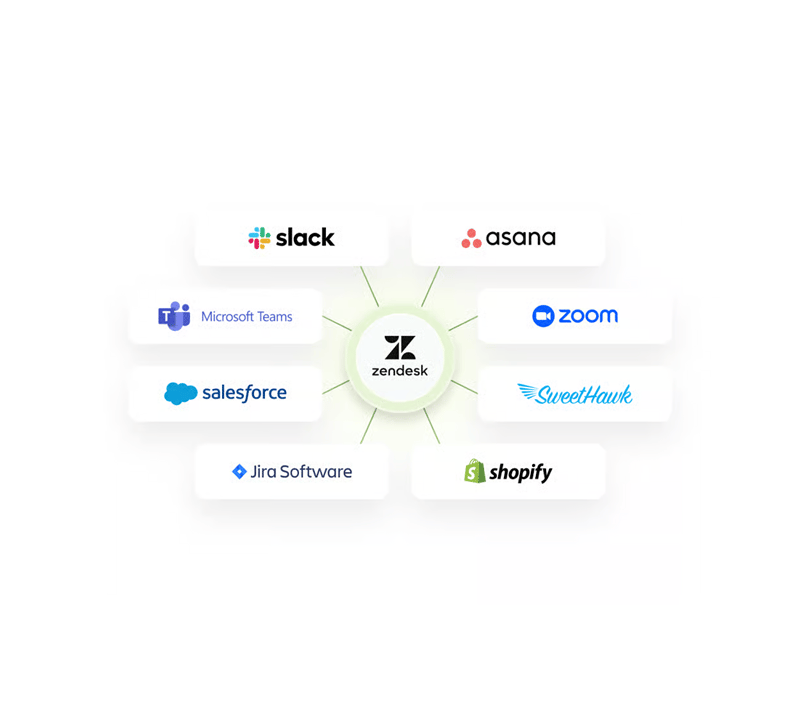
Zendesk can connect to other systems, such as your CRM, online store and existing business tools. This gives agents access to relevant information and helps them follow up without doing everything manually.
For E C Dahls Eiendom, for example, we connected the contact center to its property management system so cases can be handled with relevant building and tenancy information.
Which voice solution is right for your contact center?
Zendesk offers several options for voice support. You can use its built-in voice solution, choose a more advanced option for larger contact centers or connect a phone system you already use.
Zendesk
Voice.
For businesses that want to handle calls directly in Zendesk. Agents can manage calls, call queues and customer inquiries in one place. Also known as Zendesk Talk.
Zendesk Contact Center.
For businesses with more complex voice support needs. Offers additional options for routing calls, managing queues and monitoring contact center operations.
Integrated telephony.
For businesses that want to keep their existing phone system. Compatible solutions can be connected to Zendesk so agents can access calls and customer information in one place.
Zendesk recognized among market leaders
Gartner® Magic Quadrant™ is one of the world’s most recognized assessments of technology and service providers.
In 2025, Zendesk was once again positioned as a Leader in the Customer Engagement Center category.
Read more
KUNDELAB
A Norwegian team of Zendesk experts.
At Kundelab, you work with consultants who use Zendesk every day. You have direct contact with the specialists who know your solution and can help both when you get started and as your needs change.
Certified Zendesk consultants | Our own apps in Zendesk Marketplace
40+
years of combined Zendesk experience
300+
implementation and optimization projects
100%
focus on Zendesk as a customer service platform
01 · DISCOVERY
Find the right solution.
We look at how customers contact you, how calls are handled today and what your team needs. We then help you choose the right voice solution and Zendesk licenses.
02 · SETUP
Get your contact center up and running.
We set up telephony, call queues and call routing. We can also connect other systems as needed, followed by testing and training before launch.
03 · CONTINUOUS IMPROVEMENT
Keep improving.
We help you reduce manual work, adopt AI and gain better insight into contact center operations. With ongoing support, the solution can evolve as your needs change.
Experience in contact centers, AI and integrations.
Two examples from our Zendesk projects show how we connect customer conversations, automation and ongoing follow-up.
E C Dahls Eiendom
A shared contact center connected to operations across the business.
Kundelab helped develop a tenant portal, connect building and lease information, and enable collaboration with Plania. The solution links customer conversations to property operations.
Easee
AI and automation for complex workflows.
At Easee, Kundelab has worked on AI agents, warranty and return processes, and ongoing development. AI handles over 40% of cases created through the chatbot.
“They are highly professional and service-minded, always respond quickly and provide close follow-up.”
Silje Havdal Lillebø | Customer Service Manager at E C Dahls Eiendom
How much does a contact center solution cost?
Pricing depends on how many agents use the solution, which features you need and your telephony usage.
PRICING EXAMPLE · 1 AGENT
with Suite Professional and Copilot
NOK 1,439 per month, billed annually. Excl. VAT.
See Zendesk plans and pricing
Platform and licenses
The cost of Zendesk and your chosen voice solution, based on the number of agents and required features.
Telephony and add-ons
Costs for phone numbers, calls and optional additional features such as AI.
Setup and integrations
The cost of setting up the solution, connecting other systems and training your team.
TAILORED DEMO
See how Zendesk can connect your customer conversations.
In a no-obligation demo, we show you how Zendesk could work in your contact center.
- See how calls, emails and chats can be managed in one place.
- Discover how inquiries can be routed automatically to the right agent or department.
- Get examples of how AI can support agents and reduce manual work.
Fill out the form and we’ll get in touch to arrange a no-obligation demo. Feel free to tell us which channels or systems you use today.
Prefer to contact us directly?
Call +47 40 88 58 06 or email hei@kundelab.no.
Good to know before choosing a contact center solution
A call center is primarily focused on phone calls. A contact center also handles digital channels, such as email, chat and messaging. A contact center solution connects these channels to customer history and case management so the team can follow up even after a call ends.
Zendesk Voice, also known as Talk, integrates telephony directly into Zendesk. Zendesk Contact Center is a separate offering built on Amazon Connect for more complex contact routing and operational needs. Features, AI capabilities and costs vary. We help you choose based on your needs.
It may be possible to port your numbers or integrate an existing phone system with Zendesk. This needs to be confirmed for the relevant numbers, countries and providers. We also clarify call queues, transfers, customer data and responsibility for operations and support before the transition.
AI agents can answer common questions and handle selected inquiries automatically. Zendesk Copilot can help agents find information, summarize conversations and suggest responses.
AI agents can also answer phone calls with supported Zendesk Voice solutions. Available capabilities depend on the solution and license you choose.
Total cost depends on the Zendesk plan, voice solution, number of agents, call volume, AI and integrations. Implementation and any migration are agreed separately. We help you compare options and understand both recurring and one-time costs. See Zendesk Suite pricing and plans.
It depends on the channels, teams and integrations involved, and whether data or phone numbers need to be transferred. We develop a plan for setup, testing, training and the transition. You can start with priority workflows and expand over time. Read about Zendesk implementation.
Consider who needs access, whether calls should be recorded, what information must be stored, and your procedures for processing and deleting data. We review the capabilities of the relevant Zendesk plan and telephony solution so recordings and AI features can be assessed against your requirements.